Complete-history search
Find text, links, image descriptions, file references and favorites across the full local database.
 ClipVault Studio
Private Windows workspace
Your clipboard, finally organized for real work.
Capture text, links, screenshots and files. Find anything instantly, protect sensitive snippets, compare revisions, annotate images and work with local AI without sending your content to a cloud service.
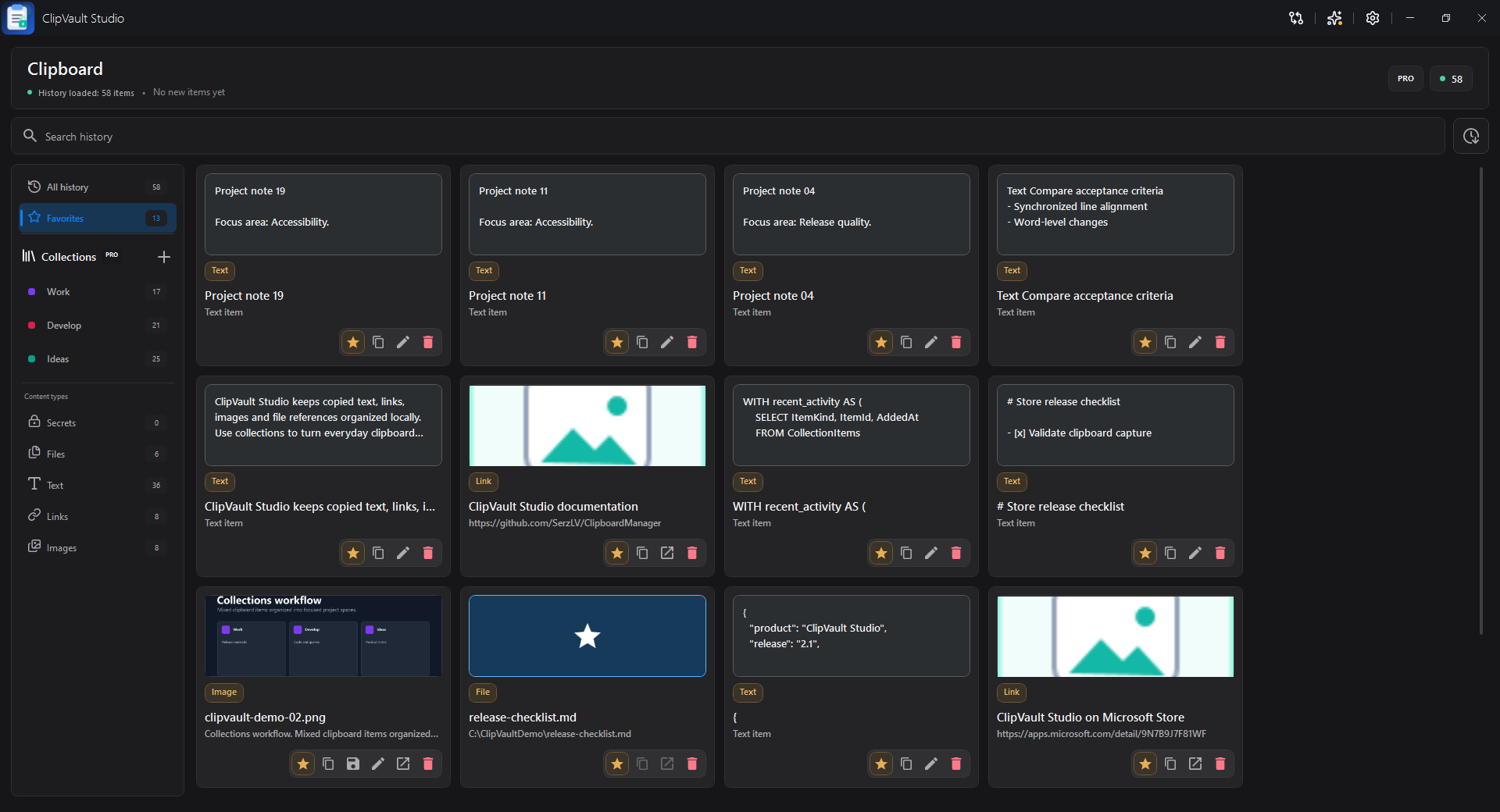
Actual ClipVault Studio interface
The workspace
ClipVault Studio turns temporary clipboard content into a private, searchable workspace built for repeated daily use.
Built for the work between apps
Every tool is close when needed and out of the way when it is not.
Find text, links, image descriptions, file references and favorites across the full local database.
Open it from anywhere, find any local clipboard item, move with the keyboard and paste straight back into the app you were using.
Group mixed clipboard items with drag-and-drop, color accents and one focused collection view.
Format, validate, preview and edit JSON, Markdown, SQL, XML, CSS, SCSS and source code.
Compare files or history items with synchronized scrolling, word diff, minimap and collapsed unchanged regions.
Add text, arrows, outlines and highlights, then save a new copy without touching the original image.
Encrypt sensitive snippets for the current Windows user and verify before reveal or copy.
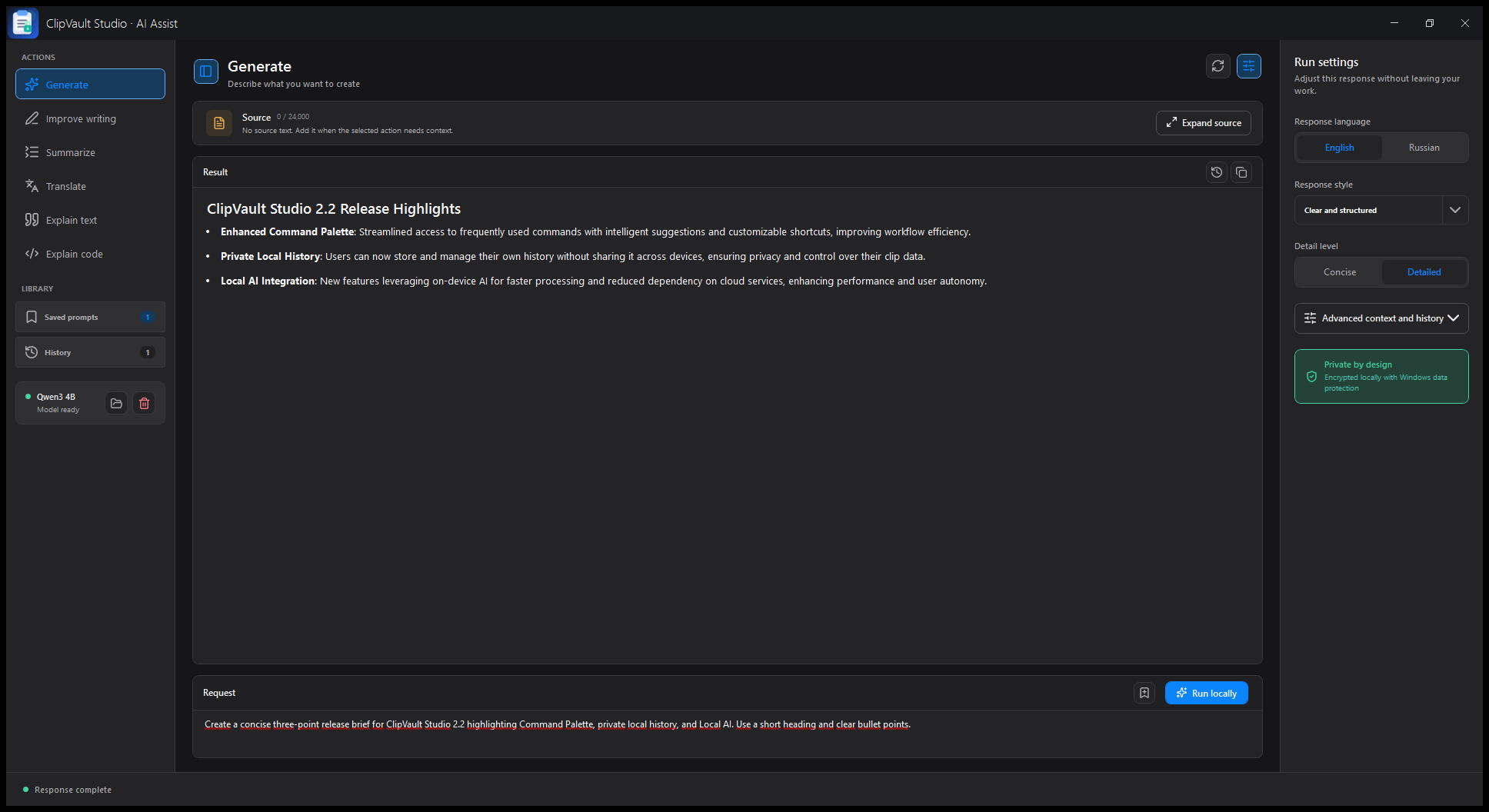
Generate, improve, summarize, translate and explain text or code through an optional model running on your PC.
Optional local AI
Generate, improve, summarize, translate and explain text or code through a separately downloaded Qwen3 4B model. Prompts and responses never need to leave the machine.
Private by design
History stays in a local SQLite database. Secrets and AI library data use Windows protection. There is no publisher-operated cloud sync, advertising or telemetry.
Simple ownership
Install from Microsoft Store, use the Free edition, then choose trial or Pro when the advanced workspace fits your work.
Clipboard history, search, favorites, secrets, previews and Windows integration.
Evaluate every Pro workspace locally before deciding.
Unlock the complete Pro workspace through Microsoft Store.
ClipVault Studio Pro
Get the current Windows edition through Microsoft Store with Store-managed purchase and license restoration.
A direct purchase option is planned for the future. Details will be announced when it is ready.
Questions
Clear answers before you install or buy.
No ClipVault account is required for the Free edition or local trial. Microsoft Store manages current Pro purchases and license restoration.
On the current Windows device in local application storage. The publisher does not operate a clipboard sync service.
No. The recommended Qwen3 4B model is downloaded separately only after you request it and can be removed from the app.
Yes. Microsoft Store is the recommended current installation and purchase channel. A separate direct purchase option is planned for the future.
Ready when you are